
The "Finally Organized" Machine: Our Nelko P21 Bluetooth Label Maker Deep Dive
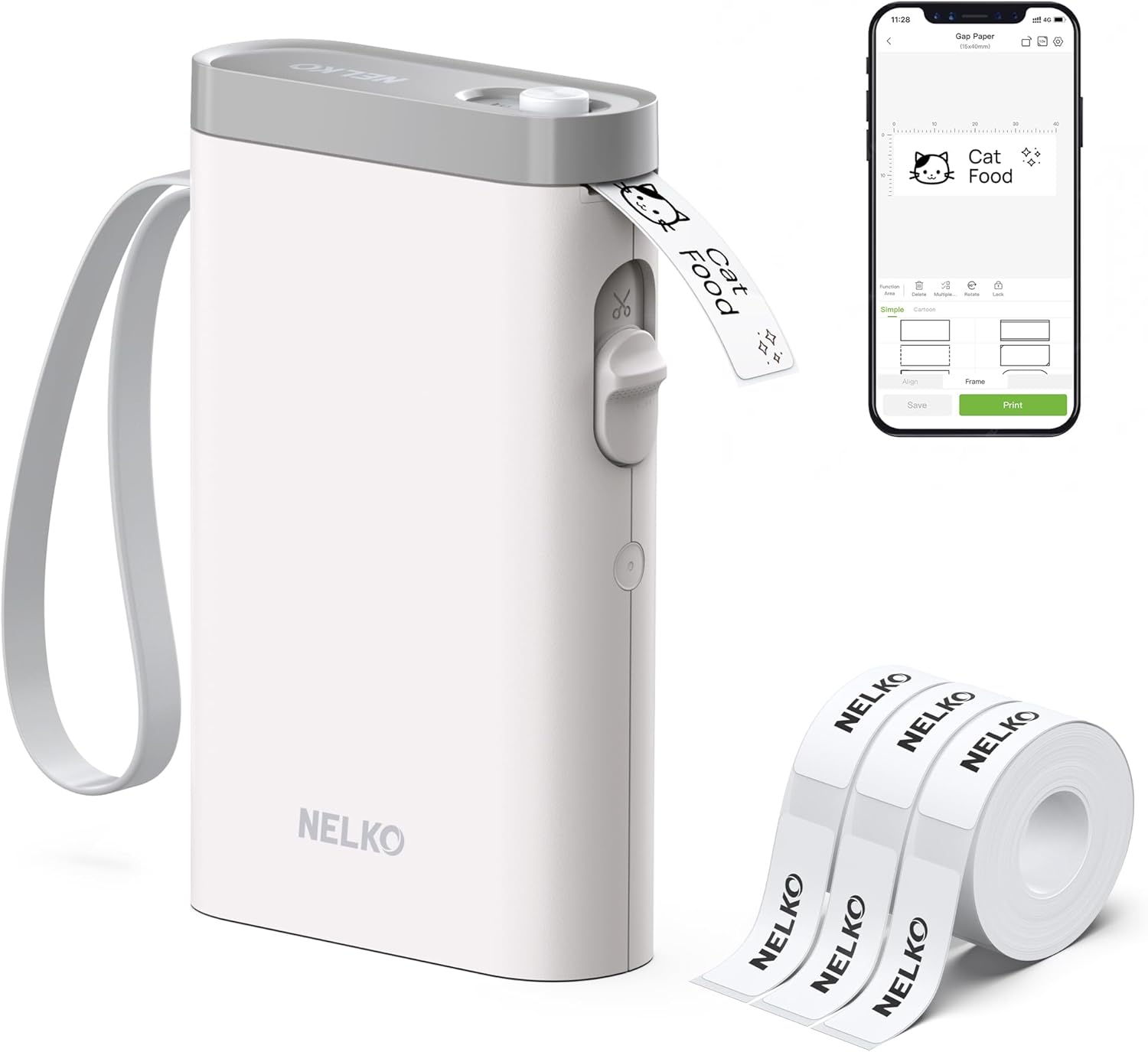
Let's be honest: my kitchen pantry was a guessing game, my office supplies lived in mysterious bins, and my garage... well, let's not go there. I bought the Nelko P21 Bluetooth Label Maker as a last-ditch effort to bring order to the chaos. After using it for weeks in every corner of my home and office, here's the real, unfiltered review you need before you buy.
 |
| Credit: amazon |
First Impressions: What's in the Box & Setting Up the Nelko P21
Opening the box felt like unboxing a sleek tech gadget, not some clunky office supply. Everything was neatly packed, and the printer itself was smaller and more stylish than I expected.
Unboxing the P21: Everything You Get
- The Printer: The main unit, which is surprisingly compact and lightweight.
- A Starter Roll of Tape: Mine came with white tape with black text, a classic combo.
- USB-C Charging Cable: A huge plus! No hunting for proprietary cables.
- User Manual: Well-organized and easy to follow, though I barely needed it.
No batteries are included, as it has a built-in rechargeable battery. The overall "out-of-box" experience was smooth and premium.
Charging Up and Pairing: How Easy Is the Bluetooth Setup?
I plugged it in for about an hour for a full charge. The Bluetooth pairing was the true test. I downloaded the "N Label" app (available on iOS and Android), turned on the printer, and it appeared in my phone's Bluetooth list almost instantly. The app guided me through the connection. Total time from unboxing to first print? Maybe 15 minutes, most of which was charging. So far, so good.
Design & Build: Is the Nelko P21 as Cute and Sturdy as It Looks?
This isn't your dad's heavy, industrial label maker. The P21 has a modern, minimalist look. The white plastic body feels solid, not cheap. The button has a satisfying click, and the tape cassette snaps in and out easily.
Size, Weight, and Portability
It fits perfectly in one hand. I could easily toss it in a bag to take from my home office to the kitchen or even to a coworking space. This portability is a major win.
Button Layout and Overall Feel
Dead simple. There's one button. Press it to power on/off and to print. That's it. All the complexity (and creativity) lives in the app on your phone. The build feels durable enough for daily home and office use, though I wouldn't want to drop it on concrete from a height.
The Heart of the Experience: Using the "N Label" App
The printer is just the tool; the app is the brains. This is where you'll spend all your time designing labels.
App Interface Walkthrough: Is It User-Friendly?
The "N Label" app is clean and intuitive. The main screen is a blank canvas with a toolbar at the bottom for text, borders, icons, and more. Tapping on text brings up a keyboard and formatting options. It's very similar to a simple photo editor or social media story creator, so most people will feel right at home.
Fonts, Styles, Borders, and Icons - Creative Freedom?
This is where the P21 shines for the average user. You get:
- Multiple Fonts: A selection of clear, practical, and a few fun decorative fonts.
- Text Styles: Bold, underline, outline, and various alignments.
- Borders & Frames: From simple lines to cute scalloped edges.
- Icons & Clipart: Hundreds of small icons (food, office, arrows, warning signs) to add visual context.
It's not Adobe Illustrator, but it's far more powerful than the basic label makers of old. You can create labels that are actually attractive.
Beyond Text: Using QR Codes and Sequential Numbering
Two powerful features surprised me:
- QR Code Generator: I labeled my router with the WiFi QR code for guests. Genius. You can link to websites, contact info, anything.
- Sequential Numbering: Need to label 20 identical bins or files? Set a start number and pattern, and it will print 01, 02, 03... automatically. A massive time-saver.
Performance & Print Quality: How Do the Labels Actually Look?
Design is fun, but if the print is fuzzy or the labels fall off, it's all for nothing.
Speed and Noise Level
Hit print, and there's a quiet whirring sound. A standard 2-inch label prints in about 5-8 seconds. It's not lightning fast for bulk printing, but for the typical "print a few labels as you organize" use case, it's perfectly fine. It's quiet enough to use at a desk without disturbing others.
Adhesion and Durability on Different Surfaces
The thermal tape doesn't use ink, so prints are smudge-proof and water-resistant. I tested labels on:
- Plastic Bins: Stuck perfectly and hasn't peeled.
- Glass Jars (clean & dry): Excellent adhesion.
- Wood: Good on smooth, finished wood.
- Fabric: Not designed for this, but it held on a canvas bin for a light-use item.
The adhesive is strong but not "industrial" strong. For most indoor organizing, it's more than sufficient. Removing them doesn't leave a terrible residue if done carefully.
The Real-World Test: How We Used the Nelko P21
Here's where it went from a fun gadget to a genuinely useful tool.
Conquering Kitchen Chaos (Spices, Containers, Bins)
Uniform labels on all my spice jars transformed my cooking experience. No more squinting at faded pen marks. I labeled flour, sugar, and pasta containers, and even put expiration dates on leftover bins in the fridge.
Taming the Home Office (Files, Cables, Supplies)
Cable management was a dream. "HDMI - TV," "Phone Charger," "Webcam." Done. File folders looked professional, and labeling drawers ("Pens & Markers," "Tech Accessories") helped everyone in the house put things back.
Fun & Practical Uses (School, Crafts, Moving Boxes)
Labeled kids' school supplies. Sorted craft materials by color/project. The MVP moment was a last-minute move. Labeling boxes ("KITCHEN - Plates," "BEDROOM - Linens," "FRAGILE - Glassware") was a lifesaver for the movers and for unpacking.
What We Loved (The Pros)
- Blissfully Simple Bluetooth Setup: It just works.
- App is Intuitive and Feature-Rich: QR codes and sequential numbering are killer features.
- Compact and Portable: True cord-free freedom.
- USB-C Charging: Modern convenience.
- Clean, Crisp Print Quality: Labels look professional.
What Could Be Better (The Cons)
- Tape Can Get Pricey: Official Nelko tapes are quality but not the cheapest.
- Not for High-Volume, All-Day Printing: It's designed for intermittent, on-demand use.
- App Requires a Smartphone: No standalone computer software option.
- Label Width Limitation: Maxes out at 20mm tape, so no extra-wide labels.
The Nitty-Gritty: Battery Life, Tape Cost, and Compatibility
How Long Does the Battery Last?
Nelko claims about 2 hours of continuous printing. In real life, with sporadic use (printing 10-15 labels a day), I charged it once every 10 days or so. The battery life is excellent for its intended purpose.
Understanding Tape Options and Costs
Nelko sells a variety of tapes: different colors (white, black, transparent, red, etc.) with contrasting text. They also have "laminated" tapes which are more durable and have a glossy finish. A standard 26ft roll costs roughly between $8-$12. It's not dirt cheap, but the convenience and quality are there.
What About Third-Party Tapes?
This is a common question. The P21 uses a standard 20mm width thermal tape roll. While some users report success with certain third-party rolls that fit the physical dimensions, compatibility is not guaranteed. Using non-Nelko tape could potentially cause jams or wear issues, and you might miss out on features like the laminated finish. For reliability, I stick with the official tapes.
Nelko P21 vs. The Competition: Where Does It Stand?
Compared to basic handheld label makers (like the classic Brother P-touch), the P21 wins on design, app features, and wireless freedom. Compared to other Bluetooth label makers in a similar price range, it holds its own with a great balance of simplicity and capability. Its main strength is being a fantastic "just works" option for the tech-savvy but not tech-expert user. It's less intimidating than some pro models but more capable than the most basic ones.
Looking for other options? We've reviewed several label makers for different needs.
Final Verdict: Who Should (and Shouldn't) Buy the Nelko P21?
Buy the Nelko P21 if you: Want a dead-simple, wireless labeling solution for home, office, or light small business use. Value a clean design and a great app with QR codes. Are tired of messy handwriting and want to get organized in a way that actually looks good.
Look elsewhere if you: Need to print hundreds of labels a day (look at commercial models). Require very wide labels (over 20mm). Are on an extremely tight budget and can't stomach ongoing tape costs. Prefer a physical keyboard over using a smartphone app.
For me, the Nelko P21 was a winner. It removed the friction from labeling. The process—from idea, to design in the intuitive app, to a crisp, printed label—takes less than a minute. That ease is what finally helped me tackle organization projects I'd been putting off for years. It’s a tool that does one job and does it exceptionally well.
Ready to Get Organized?
If the Nelko P21 sounds like the hassle-free label maker you've been looking for, it's a solid choice that delivers on its promises. It turned my chaotic drawers and bins into a system that actually works.
👉 Visit our homepage SKT Trends for more in-depth reviews and comparisons on the latest gadgets and tools for your home and office.


